MFA Push Prompts Are Not Identity Proof
Push approvals can stop password-only compromise, but fatigue, phishing proxies, and weak recovery make them a consent surface. Treat prompts, number matching, and phishing-resistant MFA as admin policy.
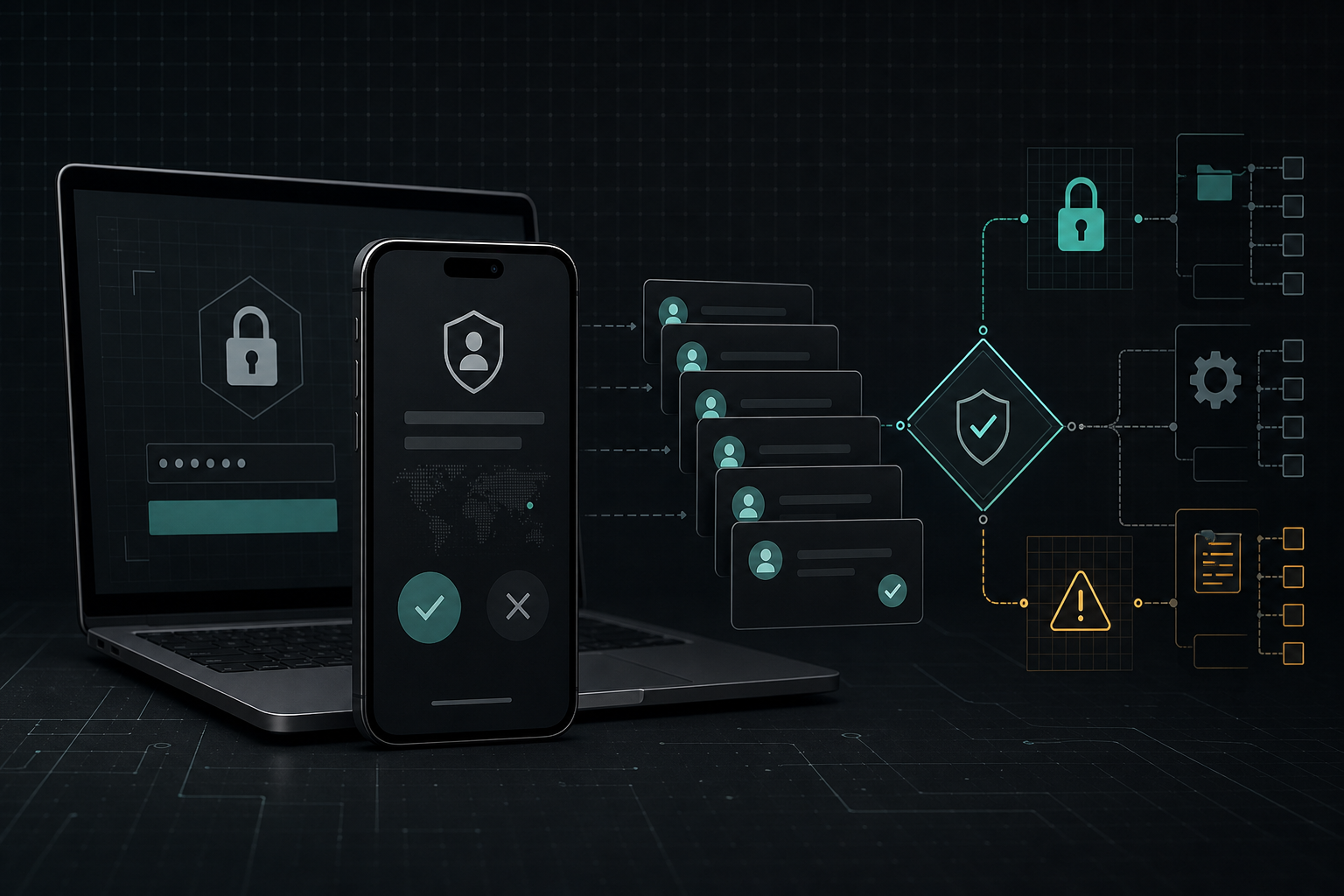
A push-based MFA prompt is useful, but it is not proof that the user meant to sign in. It proves that a device with an enrolled authenticator was asked to approve something and that the approval flow succeeded. When an attacker already has a password, a session cookie, or a real-time phishing position, the prompt becomes a decision surface that can be rushed, repeated, or socially engineered.
Community owners and workspace administrators should stop treating all MFA prompts as equal. Number matching, TOTP fallback, conditional access, passkeys, FIDO2 security keys, and recovery policy each change the risk. The practical goal is not to shame users for approving the wrong prompt. It is to design admin access so a wrong tap cannot become full control of a server, workspace, wallet, or identity tenant.
Key Takeaways
- check_circle Push MFA is stronger than a password alone, but it can still be abused when the prompt is separated from user intent.
- check_circle Number matching reduces accidental approval by forcing the user to compare the sign-in screen with the authenticator prompt.
- check_circle Legacy approve-or-deny prompts, wearable shortcuts, and old RADIUS or NPS flows deserve separate review because they may not carry the same challenge context.
- check_circle High-risk roles should use phishing-resistant methods such as FIDO2 security keys, platform passkeys, or certificate-based authentication where the identity platform supports them.
- check_circle Recovery, device enrollment, and session revocation are part of the same control because attackers often move through the fallback path after the first prompt succeeds.
- check_circle Community operators should log prompt floods, failed number matches, unusual device registration, and admin sign-ins as identity security events.
The Prompt Is An Approval Surface
A push prompt feels simple: a phone appears, the user taps approve, and the login continues. That simplicity is the product value, but it also hides the security boundary. The prompt does not inherently know whether the person in front of the laptop started the login, whether the browser is a phishing proxy, whether the request came from an attacker holding a reused password, or whether the user is approving under pressure from a fake support call.
For a community admin, that distinction matters. A compromised moderator account can remove evidence, change roles, invite bots, export data, or impersonate staff. A compromised workspace owner can approve OAuth apps, reset members, alter retention, and reach connected file or billing systems. Push MFA should be modeled as an approval workflow attached to a privileged control plane, not as a magic yes.
Why Prompt Fatigue Works
Prompt fatigue attacks exploit repetition and ambiguity. If a user receives enough sign-in approvals during a stressful moment, one may look routine. If the attacker is on a voice call pretending to be support, the prompt may be framed as a test. If the login page is a real-time phishing proxy, the prompt may arrive at exactly the moment the victim expects it. The device is real, but the sign-in intent is attacker-controlled.
The defensive lesson is straightforward: reduce unactionable prompts and make the remaining prompts harder to approve blindly. A sign-in challenge should carry context the user can compare, and the organization should investigate prompt floods as attempted account compromise. Ignoring repeated denies or timeouts trains the system to treat useful warning signs as background noise.
Number Matching Helps, With Limits
Microsoft's number-matching documentation explains the safer version of a push flow: the sign-in screen shows a number and the user enters that number into the Authenticator prompt. Microsoft describes number matching as enabled for Authenticator push notifications and notes specific cases, including MFA, self-service password reset, registration, AD FS adapters, and NPS extension behavior. That design narrows the chance that a user approves a prompt they did not initiate.
Number matching is still not the same as phishing-resistant authentication. A real-time phishing site can relay a number to the victim. A support scammer can read the number aloud. Some legacy or constrained flows may fall back to TOTP or older approve-or-deny behavior. The improvement is real, but administrators should document where it applies, where it does not, and which high-risk actions require a stronger method.
Privileged Roles Need Stronger Methods
For admin accounts, the target should be phishing resistance whenever the platform can support it. WebAuthn and FIDO-style authenticators bind the credential ceremony to the relying party, which makes a credential harder to relay through a fake origin. Microsoft Entra authentication strengths expose the same policy idea operationally: sensitive resources can require a stronger combination of methods than ordinary access.
That does not mean every member of a community needs a hardware key before they can post. It does mean owner, billing, identity, bot-management, deployment, and moderation-superuser roles should not rely on password plus generic push as their ceiling. Use passkeys or security keys for the highest-trust roles first, then apply less intrusive controls to lower-risk accounts.
Recovery Is The Back Door
Many MFA programs fail at recovery rather than at the main prompt. A user may have a strong authenticator for normal sign-in but still recover through SMS, weak help-desk proofing, personal email, an unreviewed backup code process, or device re-enrollment approved by a low-trust admin. Attackers know this. Once they learn the primary path is difficult, they look for a reset, a newly registered device, or an old session that remains valid.
Review recovery as part of MFA, not as an exception to it. Require stronger proof for admin recovery, alert on new authenticator registration, expire risky sessions after credential events, and keep a path for emergency access that is monitored and held by more than one trusted person. A recovery path that bypasses the prompt can erase the value of a polished prompt design.
A Practical Admin Policy
Start by classifying accounts. Owners, billing admins, identity admins, deployers, bot maintainers, and senior moderators deserve the strictest requirements. Require phishing-resistant authentication for those roles where the platform allows it. If a platform cannot enforce that method, reduce the role's scope or add compensating controls such as approval workflows, session review, IP restrictions, and short-lived access.
Then review telemetry. Track repeated push prompts, denied approvals, failed number matches, impossible travel, new authenticator registrations, new device sign-ins, and recovery activity. Tie the alerts to a response playbook that includes password reset, session revocation, token review, device removal, and moderator evidence preservation. The output should be a boring operating procedure, not a heroic incident scramble.
Checklist
- Inventory which accounts can change roles, bots, billing, identity, exports, retention, and recovery settings.
- Require phishing-resistant MFA for the highest-risk admin roles where the identity provider and app support it.
- Confirm that push MFA uses number matching or a comparable challenge, and document legacy flows that do not.
- Disable or tightly scope SMS, voice, and generic approve-or-deny prompts for privileged access.
- Alert on prompt floods, denied prompts, failed matches, new authenticator registration, and unexpected recovery activity.
- Test session revocation and emergency recovery before an owner account is compromised.
Sources
- Microsoft Learn: Number matching in Authenticator push notifications open_in_new
- Microsoft Learn: Conditional Access authentication strengths open_in_new
- NIST SP 800-63B: Authentication and Lifecycle Management open_in_new
- W3C: Web Authentication Level 3 open_in_new
- FIDO Alliance: How passkeys work open_in_new
- OWASP Cheat Sheet Series: Authentication open_in_new
Continue Reading
WhatsApp Usernames Move Contact Risk Away From Phone Numbers
WhatsApp's username reservation plan can reduce phone-number exposure, but it also adds impersonation, discovery, and abuse-reporting decisions that communities should treat as contact policy.
Disappearing Messages Are A Retention Policy, Not Erasure
Timers in Signal, WhatsApp, Telegram, and enterprise chat tools reduce local history, but screenshots, backups, linked devices, exports, bots, and legal holds still decide what survives.
Rate Limits Are Community Bot Security Controls
Discord, Slack, Telegram, and GitHub rate limits are not just reliability plumbing. Bot owners should treat quotas, 429 handling, queues, and invalid-request limits as blast-radius controls.